
What is Slack?
Many companies have started adopting business chat tools recently, so you may already be familiar with Slack.
It's hard to explain a business chat tool in a single sentence, but at its core it's about chat-based communication, while also supporting voice and video calls. It also lets you connect external services, so that a single tool can make sharing information across a team much easier. Because of these capabilities, Slack describes itself as a "business collaboration hub."
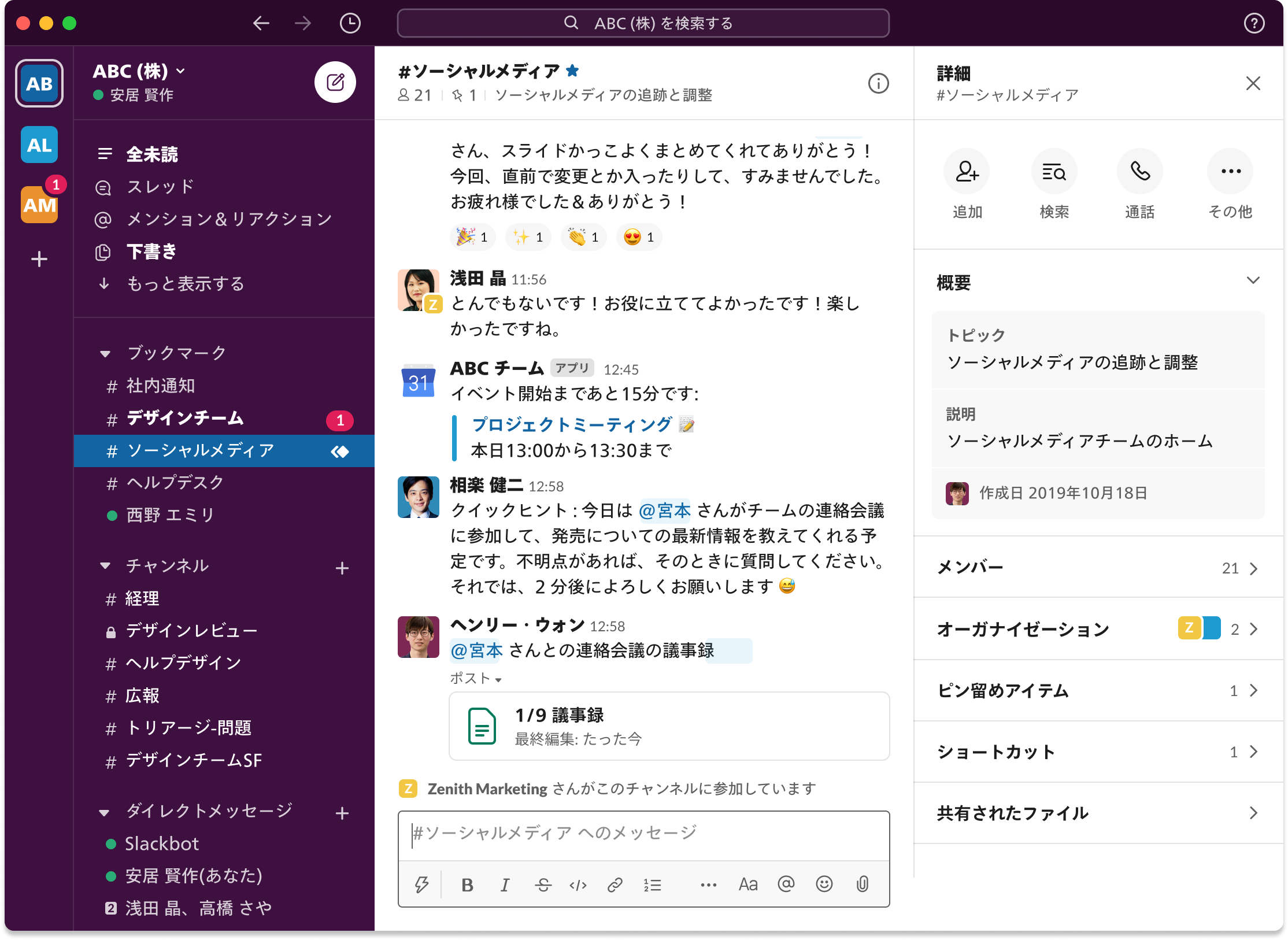
There are a few usage limits, but Slack is basically free to use, so if you're considering introducing a business chat tool, it's well worth trying out.
By the way, there are other business chat tools that are often compared with Slack, but I personally haven't used much beyond Slack in this category, so I'd like to compare them if I get the chance.
The Benefits of Using Slack
I think one of the biggest benefits of Slack is that it lets you consolidate information. (This is probably true of other business chat tools as well.)
Channel-based chat is the obvious part, but by connecting external services to Slack, you can also monitor status on a regular basis and send notifications based on events, such as something being created or a status changing.
Put in extreme terms, you can create a setup where you only need to open other tools when necessary, as long as you have Slack open.
That said, simply introducing Slack won't get you to that state overnight. There's a lot of know-how out there about using Slack effectively, and plenty of articles introducing it, so here I'd like to share some examples of how we put it into practice at GiFT, and how you can make Slack more convenient to use.
Splitting Up Channels by Use
How you divide up channels on Slack is entirely up to you, so it will depend on your team's size and use case. As an example, here are the broad categories of channels we use at GiFT.
- times channels: Channels assigned to each member where they can post anything freely
- project channels: Private channels dedicated to individual projects
- notification channels: Channels for notifying the status of external services and the occurrence of events
- other: Channels created for topics we want to keep organized
times channels are assigned to each member and set up as public channels so anyone can see them. The content is basically free-form — things like "I'm doing this right now," "I'm a bit stuck on this," or "I've been curious about this lately" — casual posts about whatever is happening or on your mind at the time.
The purpose of this channel is to make visible what a person is doing and thinking right now. That said, there's no need to treat it as heavily as a "work report" — you don't have to share every detail, and you don't need to spend time posting to times when you're focused on something. Just posting something simple makes it easy for those around you to know "oh, that person is doing this right now."
We've been doing this for a long time, and I feel it's become even more important now that remote work has become the norm. I'd also recommend the following article on this topic.
- Quipper Product Team Blog: Working Out Loud — Building a Culture of Training Among Team Members
project channels are private channels dedicated to each project, partly for the sake of managing information. Communication related to a specific project generally happens within its corresponding channel. When needed, we also add guest users or use Shared Channels to bring in external users for communication. (Note: these features require a paid plan.)
I'll go into more detail about notification channels later, but they're used to notify the team via Slack integrations, or sometimes custom-built tools, whenever someone takes an action or updates some piece of information. For example, by integrating with GitHub, you can get notifications whenever a pull request or issue is created.
For other channels, we create them whenever we want to keep other topics organized, but some end up with hardly any posts. We periodically review inactive channels and archive them if they're no longer needed.
Tool Integrations
This section is also related to the notification channels mentioned earlier. Depending on the tool integration, the information involved may not be something that should be open to everyone, so please manage permissions appropriately and make channels private where necessary.
Slack provides a mechanism for integrating with a variety of tools, and one of them is integration via Apps (referred to as Slack apps below). The GitHub integration mentioned earlier also uses one of these Slack apps. Since Slack apps are available for many different tools, it's worth checking whether the tools you use already have one available. Some Slack apps don't just send notifications but also add new functionality, so it's fun to explore what's out there.
If there's no Slack app available for the tool you want to integrate, or if the existing app can't do what you need, you can build your own integration tool as needed.
If you can write code, you can use Incoming Webhooks or develop your own App. If you build something useful, you can even publish it for Slack users around the world to use.
If you use a workflow automation service like IFTTT or Zapier, you can build your own integration relatively easily without writing any code.
Below, I'll introduce some examples of integrations using Slack apps and custom-built tools.
Schedule Management
We use G Suite at GiFT, and everyone's schedule is basically managed through Google Calendar. You can check the calendar to see what's on someone's schedule, but that doesn't mean everyone always knows what everyone else has planned.
For integrating with Google Calendar, we use the Google Calendar for Team Events Slack app. It's useful as a reminder for your own schedule, of course, but getting a notification that a meeting is about to start also makes it easier to tell that a person might not be responsive for a while. I have my own schedule notifications sent to my own times channel.
Task Management
We use ClickUp for task management at GiFT.
There's also a Slack app for ClickUp, which lets you add tasks via commands and get notifications when a status is updated. That said, personally I don't love getting notified about every single task creation or status change (you can narrow down what gets notified, though).
What I really want to know is whether there are tasks I need to act on, so I wanted notifications for tasks that are overdue or approaching their deadline. That's why I built my own integration tool for this, which I wrote about in the article below. If you use Slack and ClickUp together, please check it out.
Development
I feel like there are a lot of Slack apps available for development-related tools. It's fairly common that a specific feature you want isn't available, but it's rare that no Slack app exists at all.
The first one, already mentioned above, is GitHub. Since it can send notifications for events like pull requests and issues being opened or closed, you get a rough sense of which project people are working on at any given time.
We used to get notifications for pull requests awaiting review via a Slack app called Pull Panda, but that functionality seems to have been integrated directly into GitHub.
Personally, I'd like to be able to send more granular notifications for GitHub Actions, but for now we handle that with Incoming Webhooks. If you want an explicit notification on success, you can send a message via Incoming Webhook at the end of a specific job; if you want to be notified on failure, you can add a step that checks whether the result is failure and sends a message accordingly.
There was also a request internally to get notifications for finer-grained events, like review actions and comments, that aren't strictly work-related — so I built the following tool for that. It hasn't been thoroughly tested, but it's working roughly as expected. It receives GitHub webhooks via AWS API Gateway + Lambda, and sends messages via Incoming Webhook depending on the content.
Another Slack app we use for development is CircleCI.
We've been using GitHub Actions more often lately, but for existing projects that still use CircleCI, we send build result notifications through it.
Depending on the project, we also use Rollbar or Sentry for error management, and since both have Slack apps as well, setting up notifications for them is very easy.
Summary
I've introduced a partial look at how we use Slack internally. Beyond what's covered here, I also occasionally build small tools of my own to send notifications to Slack, along with using existing Slack apps, so I hope to share more in the future. Building your own notification mechanism for Slack is easy if you don't overthink it, so it's worth giving it a try.
That said, no matter how well you master Slack, there will naturally be times when chat-based communication alone isn't enough. In those cases, we also make use of other tools to fill the gaps — for example, putting together detailed documentation in Notion, or having a conversation over a video call in Zoom when necessary.
I hope this gives you either a reason to try introducing Slack, or, if you're already using it, an idea for making it a bit more convenient with Slack apps or your own custom tools.
If you're considering introducing Slack or any other business tools or services, please feel free to reach out to us for anything — from implementation support to custom tool development.


