Installation
You can download it from GitHub or install it via brew cask — whichever method you prefer.
GitHub https://github.com/prisma-labs/graphql-playground/releases
# brew cask install command
brew cask install graphql-playground
Choosing an endpoint
When it launches, you'll see an endpoint selection screen. This time, let's connect to Pokemon under EXAMPLES.
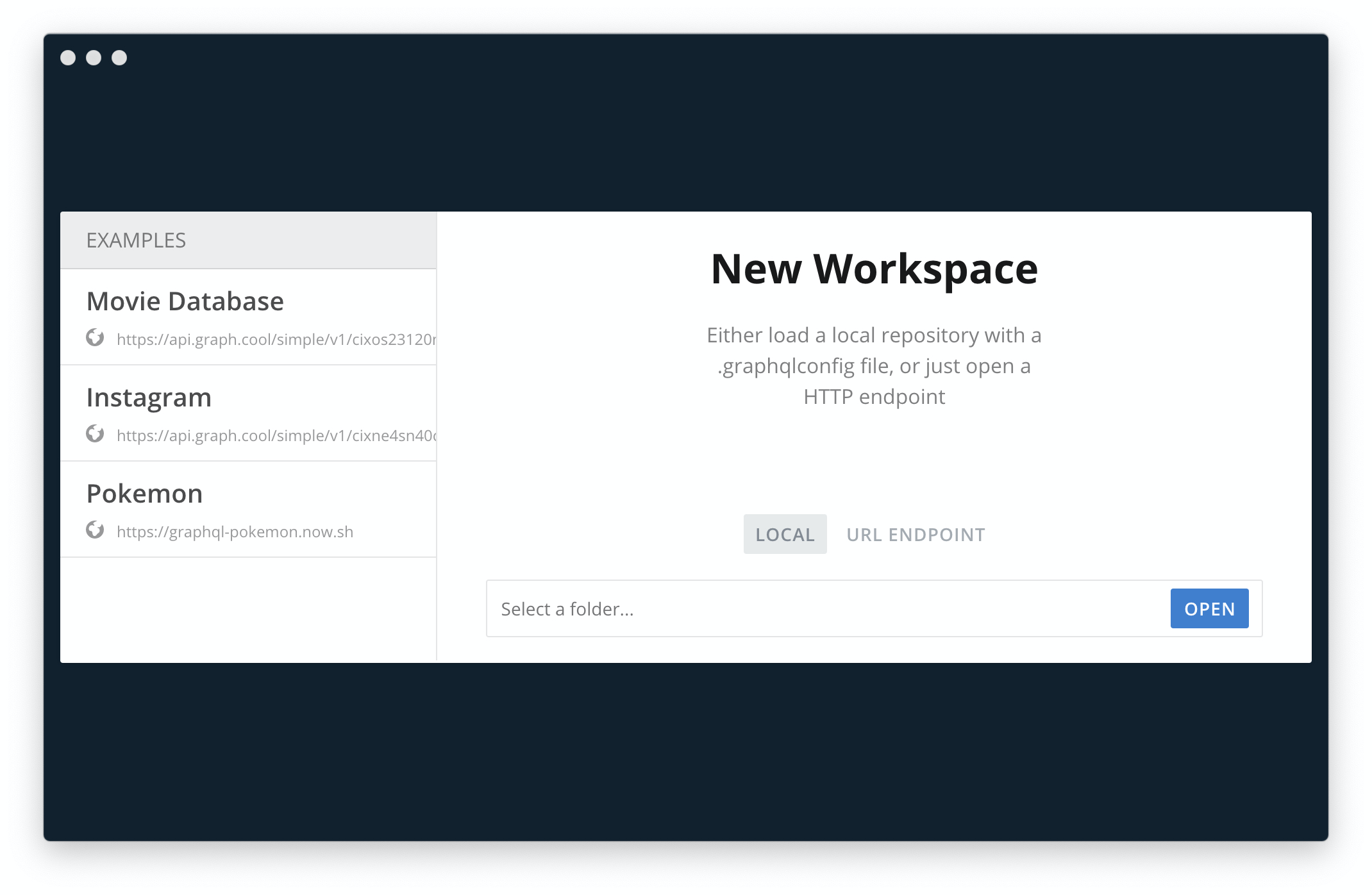
I found a list of GraphQL servers you can try out right away, like this Pokemon server, so I'll share it here.
Public GraphQL APIs http://apis.guru/graphql-apis/
Checking the schema and running a query
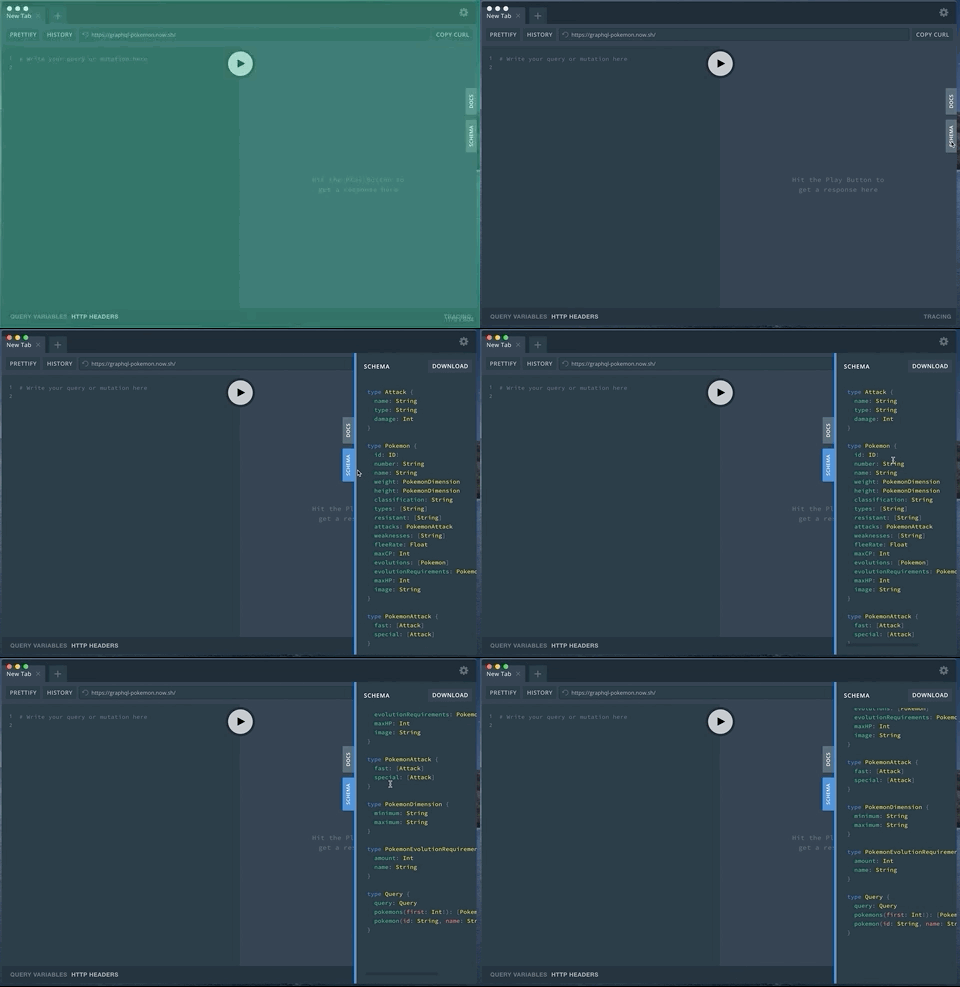
Click SCHEMA on the right side to check the GraphQL schema.
type Attack {
  name: String
  type: String
  damage: Int
}

type Pokemon {
  id: ID!
  number: String
  name: String
  weight: PokemonDimension
  height: PokemonDimension
  classification: String
  types: [String]
  resistant: [String]
  attacks: PokemonAttack
  weaknesses: [String]
  fleeRate: Float
  maxCP: Int
  evolutions: [Pokemon]
  evolutionRequirements: PokemonEvolutionRequirement
  maxHP: Int
  image: String
}

type PokemonAttack {
  fast: [Attack]
  special: [Attack]
}

type PokemonDimension {
  minimum: String
  maximum: String
}

type PokemonEvolutionRequirement {
  amount: Int
  name: String
}

type Query {
  query: Query
  pokemons(first: Int!): [Pokemon]
  pokemon(id: String, name: String): Pokemon
}
Looking at the schema, we can see two queries: pokemon and pokemons. This time, let's call the pokemon query. The pokemon query requires either an id or a name argument, and since id doesn't hold a value related to the actual Pokemon, we'll specify Growlithe for name.
query{
  # Specify "Growlithe" as the argument
  pokemon(name:"Growlithe"){
    # List the fields we want
    id
    name
    image
    # For nested fields too, check the return type and list the fields we want
    attacks{
      fast{
        name
        type
        damage
      }
      special{
        name
        type
        damage
      }
    }
    evolutions{
      id
      name
      image
    }
  }
}
If it processes successfully, you'll get data back like this:
{
  "data": {
    "pokemon": {
      "id": "UG9rZW1vbjowNTg=",
      "name": "Growlithe",
      "image": "https://img.pokemondb.net/artwork/growlithe.jpg",
      "attacks": {
        "fast": [
          {
            "name": "Bite",
            "type": "Dark",
            "damage": 6
          },
          {
            "name": "Ember",
            "type": "Fire",
            "damage": 10
          }
        ],
        "special": [
          {
            "name": "Body Slam",
            "type": "Normal",
            "damage": 40
          },
          {
            "name": "Flame Wheel",
            "type": "Fire",
            "damage": 40
          },
          {
            "name": "Flamethrower",
            "type": "Fire",
            "damage": 55
          }
        ]
      },
      "evolutions": [
        {
          "id": "UG9rZW1vbjowNTk=",
          "name": "Arcanine",
          "image": "https://img.pokemondb.net/artwork/arcanine.jpg"
        }
      ]
    }
  }
}
Our own qrop project uses GraphQL, and by the time I joined the project, there was already a wonderful setup where running docker-compose up would spin up a Playground on localhost. Still, I found that trying out this minimal setup helped me understand the basics more clearly. That's it for this post.



![Keeping Production Running Smoothly with Remote Work and Online Meetings [Documentation]](https://images.microcms-assets.io/assets/db777f61d8d644cc99c36287c8076d75/3307e3d0aed64e3fa6da52a99acca0c4/icon-remote-work.png?w=600&fm=webp)