

Until now, we managed our testing using spreadsheets and Excel. There seem to be other test management tools besides Qase, but we haven't used any of them ourselves. Also, note that this post covers usage on the free plan.
Qase's features are covered in more detail by this author: https://qiita.com/henjiganai/items/9fadf6d1099357b49e9c
Structure Overview
Let's start by explaining Qase's structure. It seems the paid version offers even more features.
Project - Created per project, as the name suggests
 L Repository - Test cases are added here
 L TestPlan   - Lets you select and group test cases created in the Repository
 L TestRun    - Used for running tests and reviewing the results
 L Defects    - Tests that fail get registered as Issues
With Qase, you start by creating a project and then registering cases.
Creating a Project and Test Cases
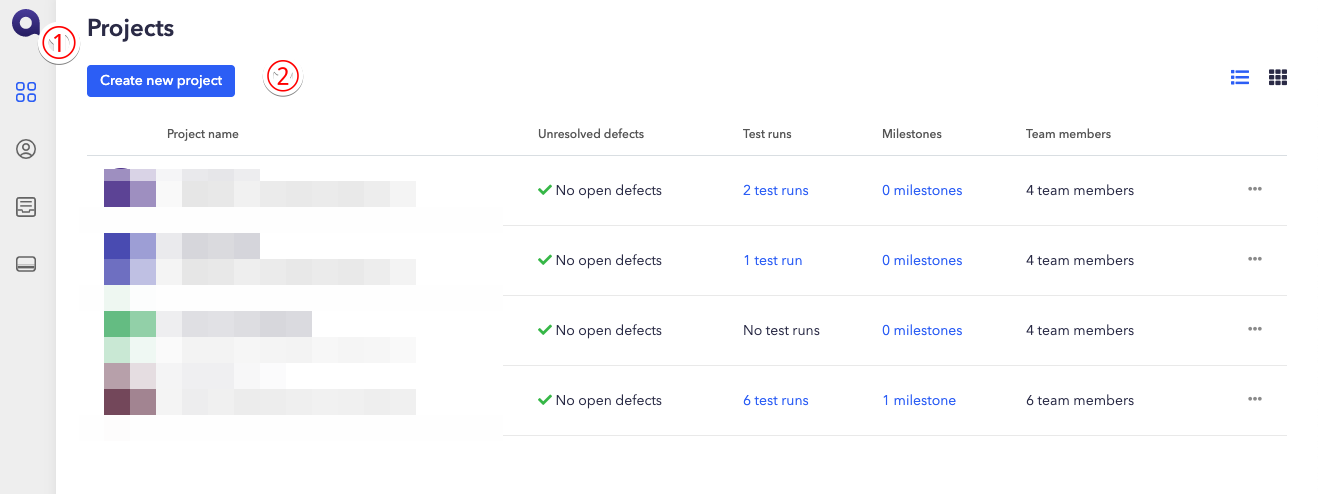
To add a project, click the Qase logo in the top left to open the Project dashboard, then click Create Project a few times and it's created.
Once the project is created, you start creating test cases. Test cases can have a parent test case (Suite), and this structure can be nested across multiple levels. When adding a case with just a title, you can do it quickly right from this screen, which was great — but if you want to add details to a test case or change its title, you have to go through "select → open edit screen" every time, which was a bit of a hassle. For this project too, I initially planned to create everything directly in Qase, but it turned out to be more tedious than expected, so instead I exported the test cases to CSV, edited the exported CSV in Excel, and then imported it back — that's the process I used to create the cases.
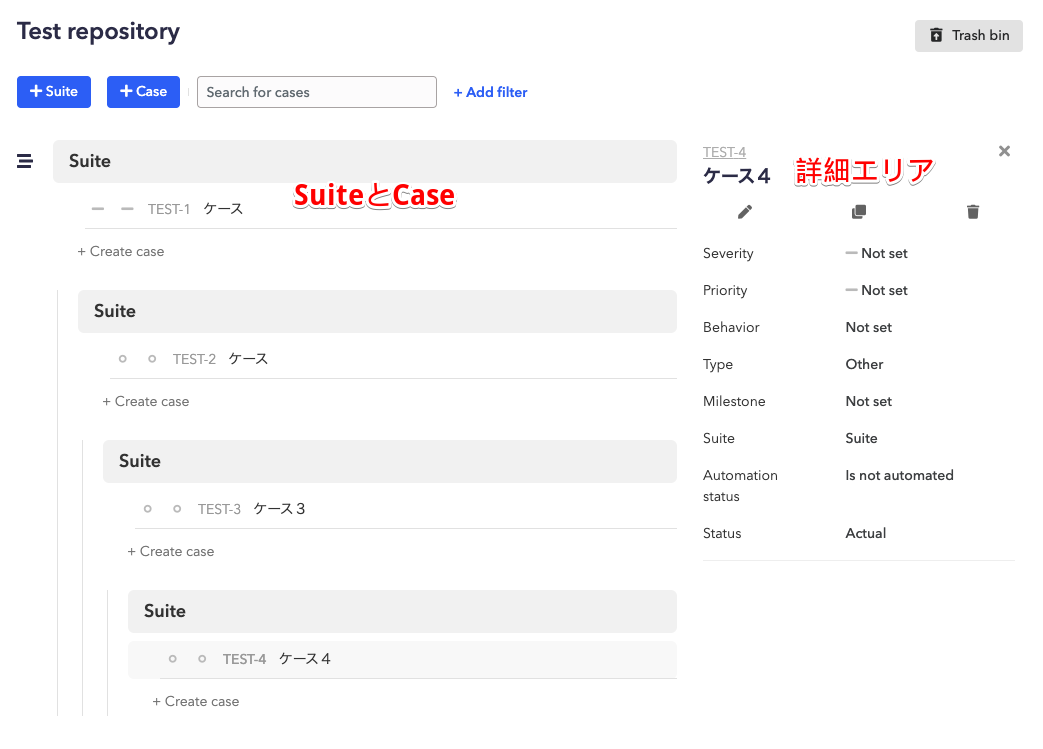
By the way, if you export the state shown in the image above to CSV, it looks like the image below. With CSV export, the suite isn't included in the output. When exporting as JSON, the Suite was included. If you're creating a lot of cases initially, making good use of this might make things a bit easier. I'm hoping for improvements to the UX in this area.

Creating a Test Plan
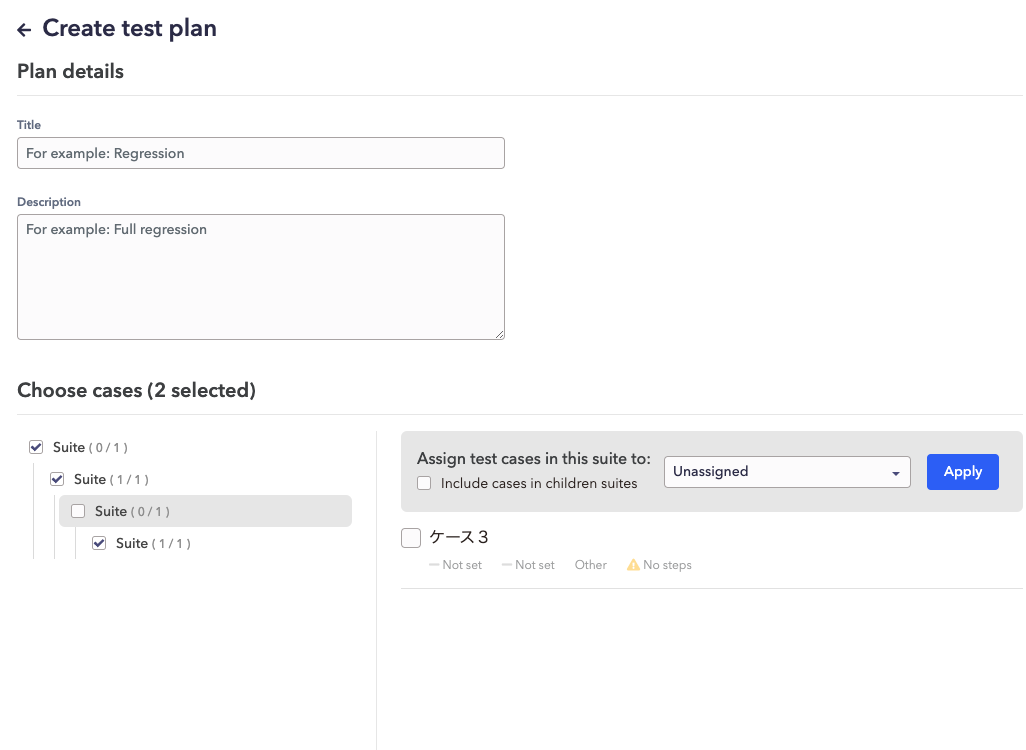
Creating a test plan isn't required, but since unnecessary tests can come up depending on the situation when testing, it's generally a good idea to create one. For example, if you want to test with two roles — admin and general user — you can prepare two plans in advance: one where the admin tests this set of test cases, and one where the general user tests this set. Creating a test plan is just a matter of selecting the cases you've already created, so it's very easy and satisfying to put together.
Running Tests
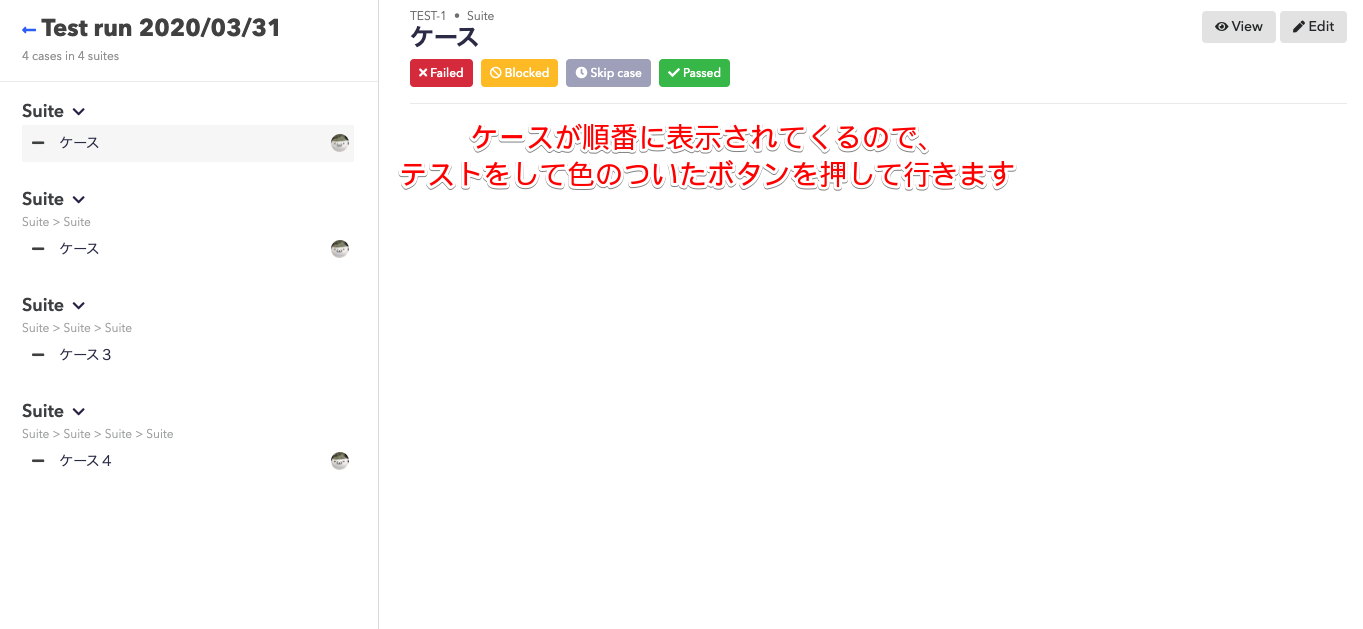
To run a test, start by selecting the target cases and assigning an owner to each case. If you've created a plan, selecting the target is as simple as selecting the plan, so it's easy. You can also add or remove cases after selecting the plan.
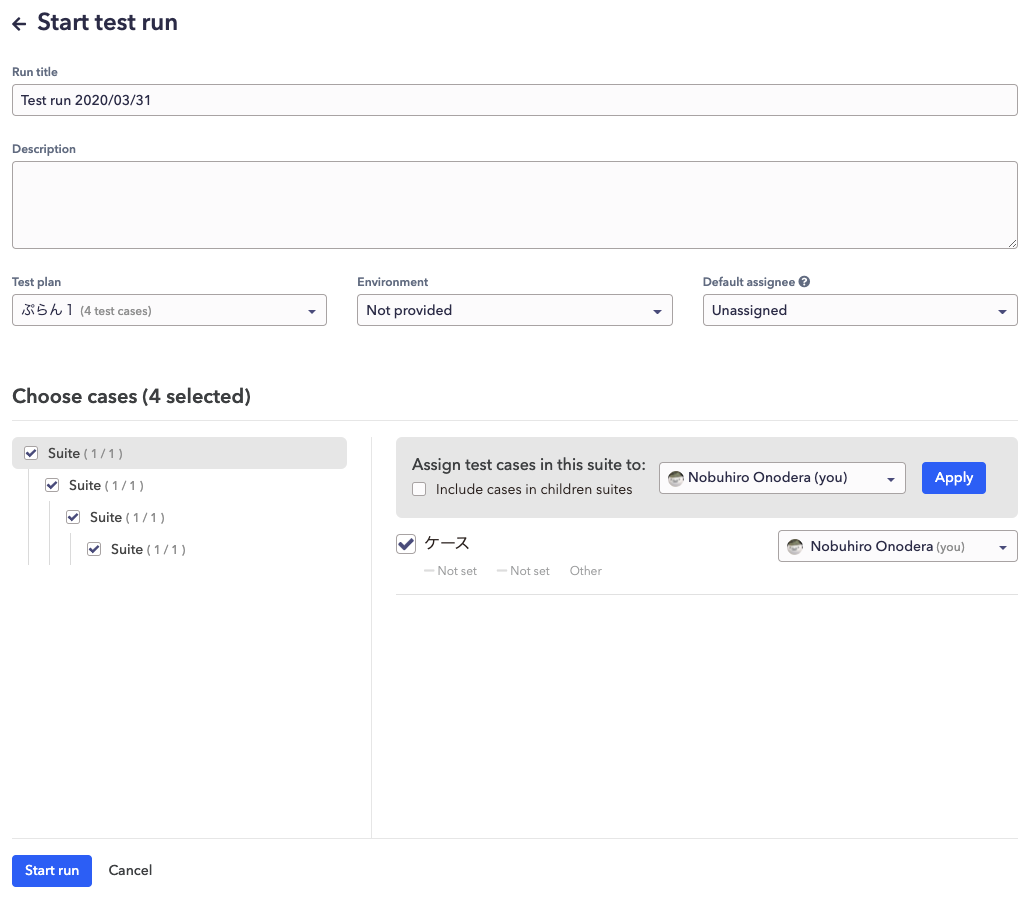
Once you've selected the target, click "Start run" in the bottom left, then click "Launch test run" on the screen that appears next to begin the test.
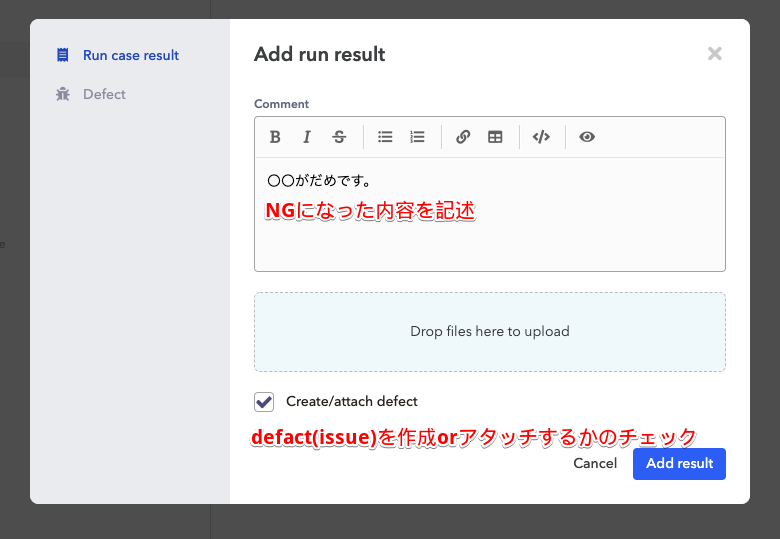
The image below shows the screen for writing the reason when a test case is marked as failed. You can choose to either create a new defect (issue) or link it to an already-created defect (issue). I haven't tried it myself, but there's also external integration available, and it seems you can link created defects to GitHub or ClickUp issues as well.
Exporting Results
Test results can be shared by sharing the page itself. If you want to export to a file, CSV is the only export format available. This time we also needed a file, so after testing we tried creating a document via export, but the CSV export kept failing with an error, which was disappointing. I'm not sure what caused the error, but after fiddling around with the cases for a while, it started working again at some point. I know we're using the free tier and all, but this kind of instability is nerve-wracking, so I'd love to see it become more reliable.
Overall Impressions
Getting started with Qase came with some trouble and frustration, but compared to spreadsheets, the UX of testing itself improved significantly, and there was a lot to like about the way results are output, among other things. I plan to keep putting it through its paces.


