

As the title suggests, better late than never — I finally got started with frontend testing.
We use Nuxt.js for many of our projects, so I first added Jest, a JS testing framework, along with Codecov for checking coverage.
Install the necessary packages with the following command.
for Jest
$ yarn add -D jest vue-jest ts-jest babel-jest @vue/test-utils babel-preset-vue-app
for Codecov
$ yarn add -D codecov
Next, add scripts to package.json. Since we want test:ci to output coverage, I've added an option for that.
  "scripts": {
    "test": "jest --config jest.config.js",
    "test:ci": "jest --config jest.config.js --coverage"
  },
This time, I set up a tests directory at the application's root directory and put the files inside it. The mock data also goes there. I've changed the file names, but the directory structure looks something like this.
rootDir
└──
    tests
    └── unit
        ├── _mockData
        │   └── posts.json
        ├── compounds
        │   └── button
        │       └── ButtonDefault.spec.js
        └── organisms
            └── list
                └── ListButton.spec.js
Next, prepare a config file for Jest, jest.config.js. Since Nuxt uses TypeScript (partially), I've also added preset: 'ts-jest',.
module.exports = {
  preset: 'ts-jest',
  transform: {
    '^.+\\.js$': '<rootDir>/node_modules/babel-jest',
    '.*\\.(vue)$': '<rootDir>/node_modules/vue-jest',
    '^.+\\.ts$': '<rootDir>/node_modules/ts-jest',
  },
  moduleNameMapper: {
    '^@/(.*)$': '<rootDir>/app/$1',
    '^~/(.*)$': '<rootDir>/app/$1',
  },
  moduleFileExtensions: ['js', 'json', 'vue', 'ts'],
  testMatch: [
    '<rootDir>/tests/unit/**/*.js',
    '<rootDir>/tests/unit/**/*.ts',
  ],
  globals: {
    'ts-jest': {
      tsConfig: 'tsconfig.json',
    },
  },
  collectCoverage: false,
  collectCoverageFrom: ['<rootDir>/app/components/**/*.vue', '<rootDir>/app/pages/**/*.vue'],
  coverageDirectory: './coverage/',
  coverageReporters: ['json', 'text-lcov', 'lcov'],
}
Once all the file setup is done, let's start writing tests.
The file I want to test this time is components/organisms/list/ListButton.vue below.
<template>
  <ul class="list">
    <li
      v-for="(post, i) in posts"
      :key="i"
    >
      <a
        @click="$emit('clickItem', post)"
      >
        {{ post.name }}
      </a>
    </li>
    <li>
      <a
        @click="$emit('clickAdd')"
      >
        Add new
        <svg viewBox="0 0 24 24">
          <use xlink:href="#plus" />
        </svg>
      </a>
    </li>
  </ul>
</template>

<script>
import VueTypes from 'vue-types'

export default {
  props: {
    post: VueTypes.arrayOf(VueTypes.shape({
      name: VueTypes.string.isRequired,
      description: VueTypes.string,
    })).isRequired.loose,
  },
}
</script>
The testing perspectives for this file are:
- The data passed in via props
- Whether the click event works correctly
import { mount, shallowMount } from '@vue/test-utils'
import posts from '../../_mockData/posts.json'
import ListButton from '@/components/organisms/list/ListButton.vue'

describe('components/organisms/list/ListButton.vue', () => {
  const propsData = {
    list: posts.list,
  }
  test('props', () => {
    const wrapper = mount(ListButton, { propsData })
    expect(wrapper.props()).toEqual(propsData)
  })
  test('check click link event', () => {
    const wrapper = shallowMount(ListButton, { propsData })
    // Get all the a tags
    const links = wrapper.findAll('a')
    links.wrappers.forEach((link, index, links) => {
      // Only the last a tag has different behavior, so branch the test
      if (index === 0) {
        link.trigger('click')
        // Check that the click event fires
        expect(wrapper.emitted().clickItem).toBeTruthy()
        // Check that the content passed with the click event is as expected
        expect(wrapper.emitted().clickItem[0][0]).toBe(posts.list[0])
      } else if (index === (links.length - 1)) {
        link.trigger('click')
        expect(wrapper.emitted().clickAdd).toBeTruthy()
      }
    })
  })
})
Now, if you run
$ yarn test
locally, it will check the results for you.
Once you've gotten this far, you'll naturally want to check coverage too.
We use CircleCI, so I add the following to the config. (You also need to set up a token in the CircleCI settings screen.) Just with this, coverage gets visualized nicely!
      - run:
          name: Testing and export coverage report
          command: yarn test:ci
      - run:
          name: Codecov
          command: yarn codecov
Here's an example of what gets produced.
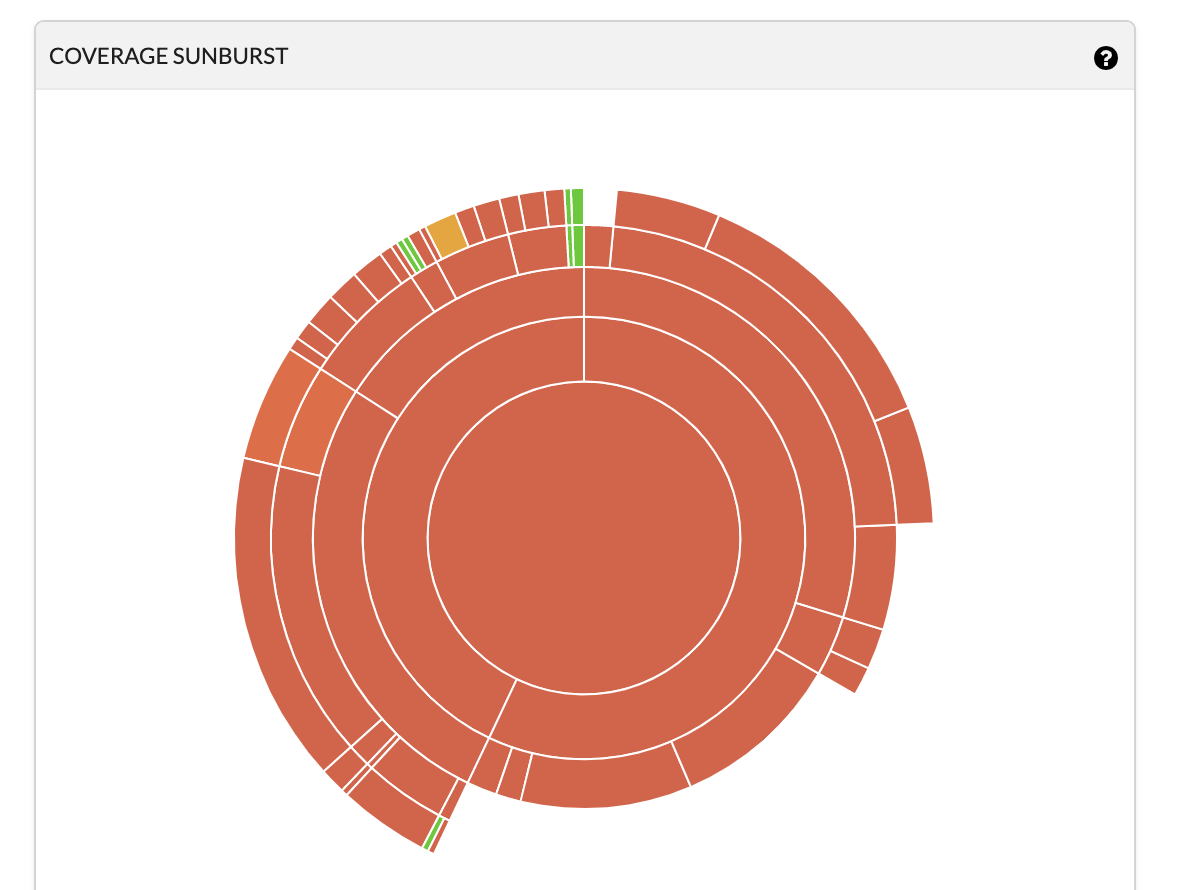
And here's another one...... (looks like a scorched earth, huh...? 😇😇😇)
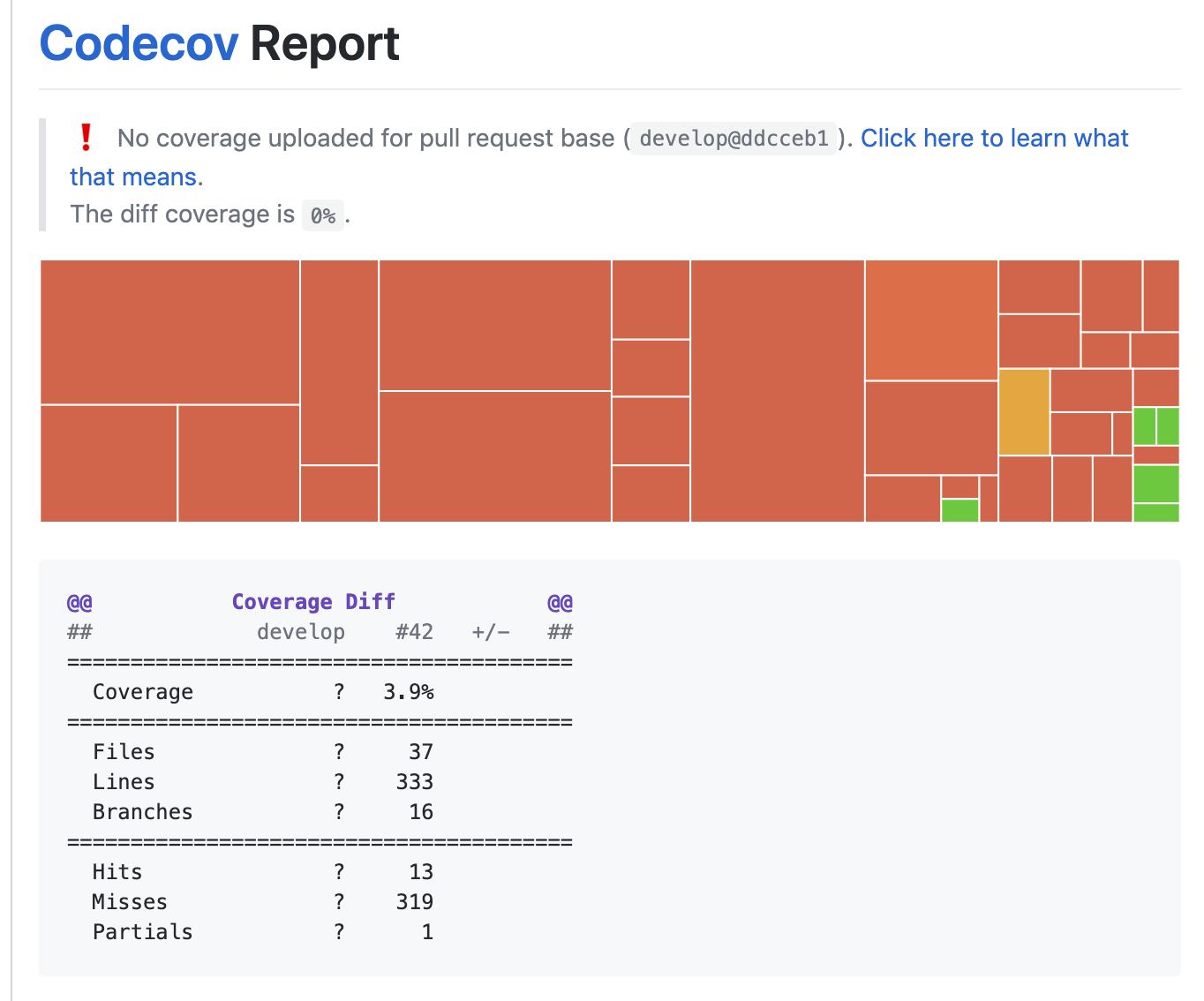
And that's it — Jest + Codecov now lets us check tests and coverage! Seeing that scorched earth really does make you want to write tests!!!!!!!!!!!!!! Uploading coverage to CircleCI's artifacts is sadly something nobody looks at, so I also think it's a benefit that it becomes visible in things like PRs! I highly recommend giving it a try 😎
Going forward, I plan to keep writing tests bit by bit, build up my knowledge, and share it again sometime.


