
![An "Invalid Character" Error Broke Our Page in IE11 [Nuxt.js]](https://images.microcms-assets.io/assets/db777f61d8d644cc99c36287c8076d75/1f45c5204f6c469b8757574468616b28/tobias-tullius-gSVFQvRKfq8-unsplash.jpg)
Table of Contents
- Checked it in IE, the app was dead
- Maybe it's a polyfill issue?
- Digging through the package to find what to transpile
- Conclusion: read the error carefully
Checked It in IE, the App Was Dead
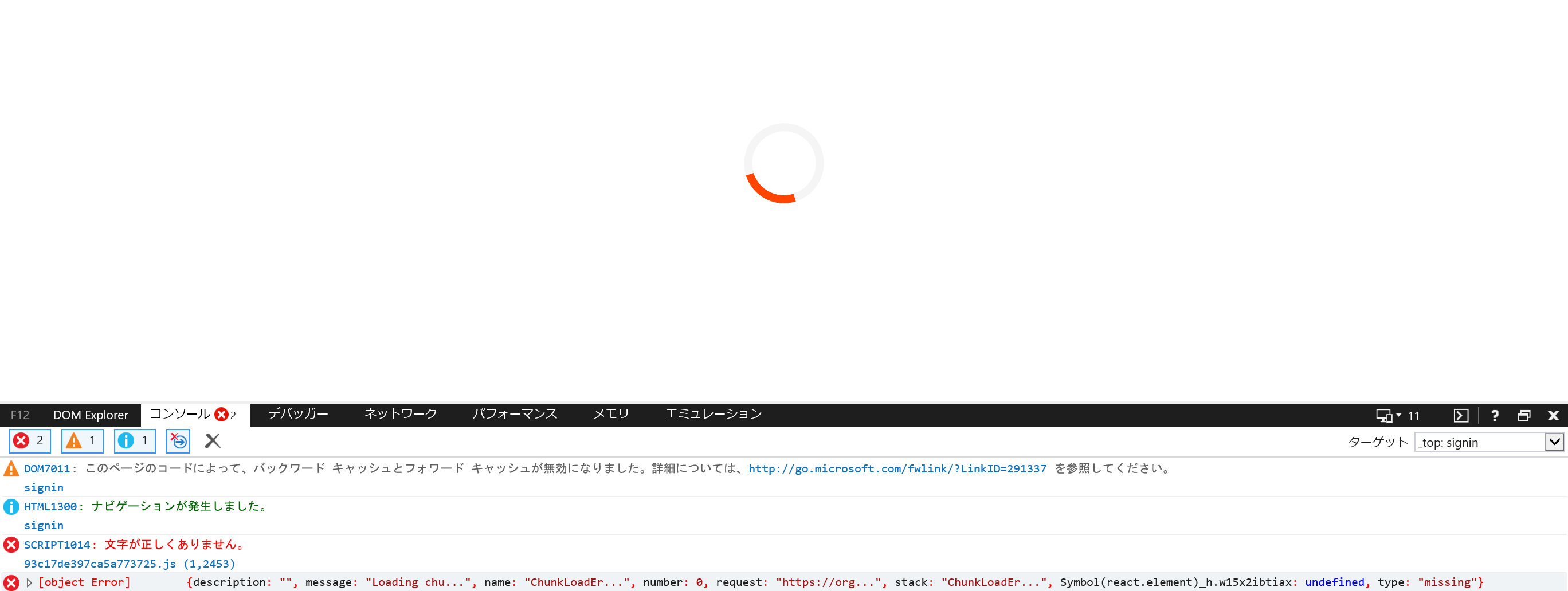
Whenever you build an app or a site, you check it in IE, right? You brace yourself, wondering "will it actually display properly...?" and then sometimes it's like, "yep, sure enough, it's not showing up." This time, I was getting the following error.
Maybe It's a Polyfill Issue?
At times like this, you figure some ES6-era syntax probably isn't being transformed by Babel — maybe a missing config? — so you go check.
This time I was using Nuxt, which uses core-js@2 by default, so I figured the syntax I was using shouldn't be an issue — maybe it was a config mistake? I ended up endlessly fiddling with Babel options.
I spent a few hours setting debug: true and tracing through the logs.
    babel: {
      presets ({ isServer }, [preset, options]) {
        return [
          [
            preset,
            {
              ...options,
              targets: isServer
                ? { node: 'current' }
                : { browsers: ['last 2 versions'], ie: 11 },
              corejs: { version: 2 },
              debug: true,
            },
          ],
        ]
      },
While asking @ymmooot for advice, I got as far as figuring out that even though transform-template-literals was set to { "android":"76", "ie":"11", "opera":"12.1", "safari":"12.1" }, it was still being used in the built JS, which was why it was dying in IE. From there,
Yamamoto: "Maybe it's code in node_modules that Babel isn't touching~"
That was the advice I got, and I thought, wait, really? There's a pattern like that? So I went and looked into it.
Digging Through the Package to Find What to Transpile
So I went back to the original error message that had been showing all along.
Invalid character. 93~~~.js (1, 2453)
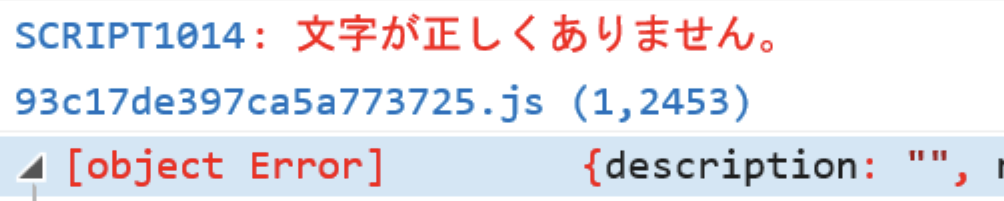
So I actually looked at the corresponding spot (line 1, character 2453) in the built file where the error was occurring, and found this part remaining:
innerHTML=`@keyframes ${t} {${n}}`
Looking at the browser support status for template literals, IE doesn't support them. "Ah, so that's it," I thought, and while looking at the reference article in *1, I added transpilation for it.
  build: {
    publicPath: '/assets/',
    extractCSS: true,
    transpile: [
      /(.+)(library-name\/src\/path\/)(.+)(\.js)$/,
    ],
    babel: {
      presets ({ isServer }, [preset, options]) {
        return [
          [
            preset,
            {
              ...options,
              targets: isServer
                ? { node: 'current' }
                : { browsers: ['last 2 versions', '> 0.25%, not dead'], ie: 11 },
              corejs: { version: 2 },
            },
          ],
        ]
      },
    },
With this fix in place, it now displays correctly in IE as well.
Conclusion: Read the Error Carefully
Looking at this whole sequence of events, I'm sure anyone experienced would find it pretty embarrassing. If I had just carefully read the error message from the start and checked the corresponding spot in the file where the error occurred, I probably could have debugged this right away. I'm someone who's always telling others to read error messages carefully, so I ended up throwing an enormous boomerang right back at myself, and I'm reflecting on that. I'll leave this as a cautionary tale of something I messed up, both as a bit of penance and as a lesson to myself.


