
Last updated: 2019/12/16
This year, we made heavy use of a serverless setup built with Contentful and Firebase when developing corporate sites and owned media 😇
Here are some of the public projects we built with Contentful in 2019:
- Neo Sports Co., Ltd. corporate site
- Osaki Electric Co., Ltd. farmwatch brand site
- Our own corporate site
As we accumulated know-how through these projects, we received the following request from Four Point Inc., which runs the childcare-support service EQG:
Four Point Inc.: "Through our childcare support work, we're increasingly meeting people looking for family-friendly properties. We'd like to turn this into a service to validate the demand—is there an easy way to do it?"
We thought this was a perfect opportunity, so we proposed adding a real estate site to their existing owned media using a JAMstack setup built with:
- Nuxt.js
- Contentful
- Firebase Hosting
and made it happen.
The real estate site we released is here → EQG Real Estate
If you're looking for a family-friendly property, feel free to get in touch! (PR)
Building EQG Real Estate
Below, I'll walk through what features the site has and how we implemented them.
Functional requirements
- Property listing page
- Filtered search
- Tag search
- Property detail page
Contentful content model design
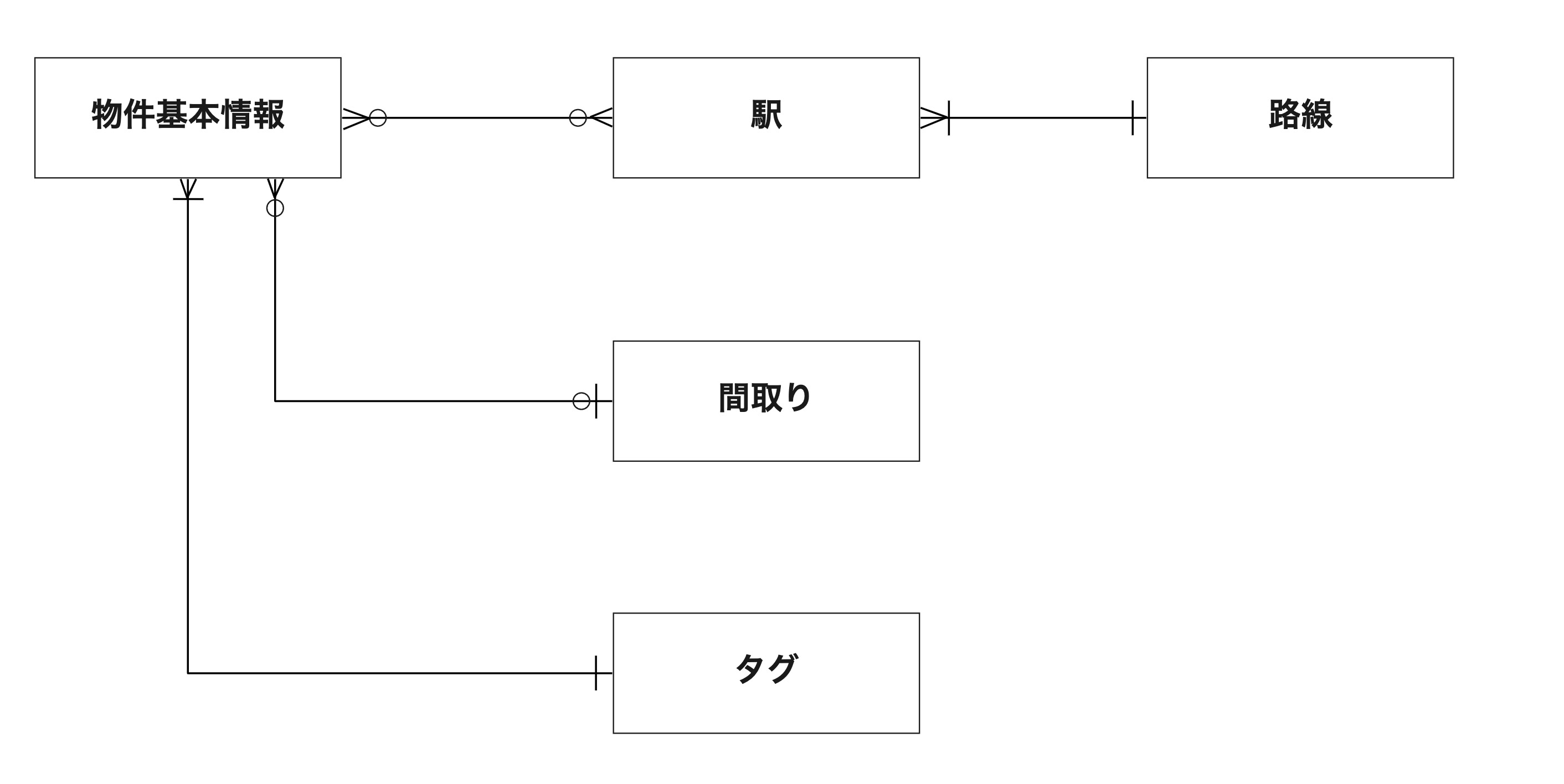
Some of the content models we needed for this project include:
- Property basic information
- Station
- Line
- Floor plan
- Tag
Represented as an ER diagram, it looks like this:
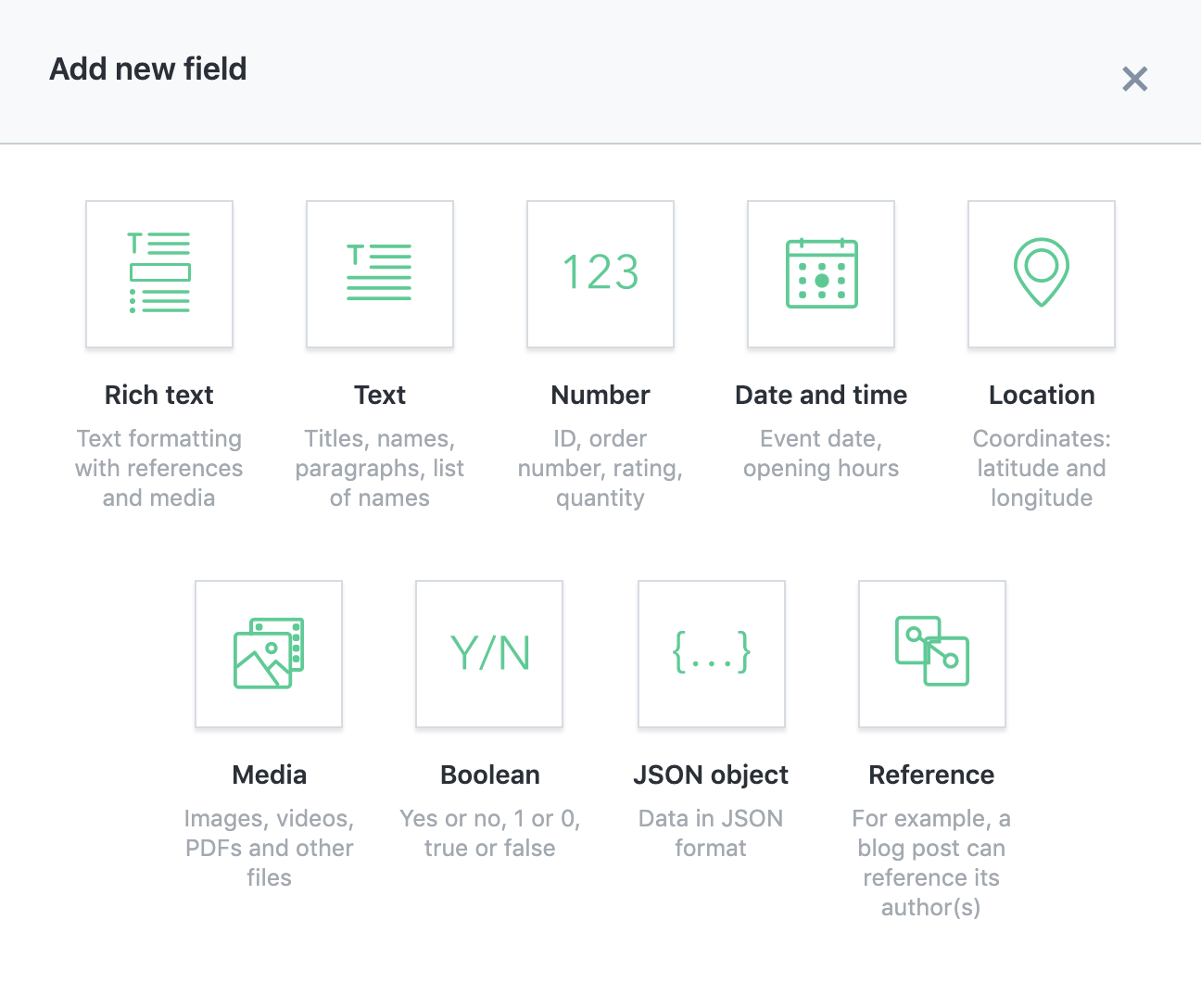
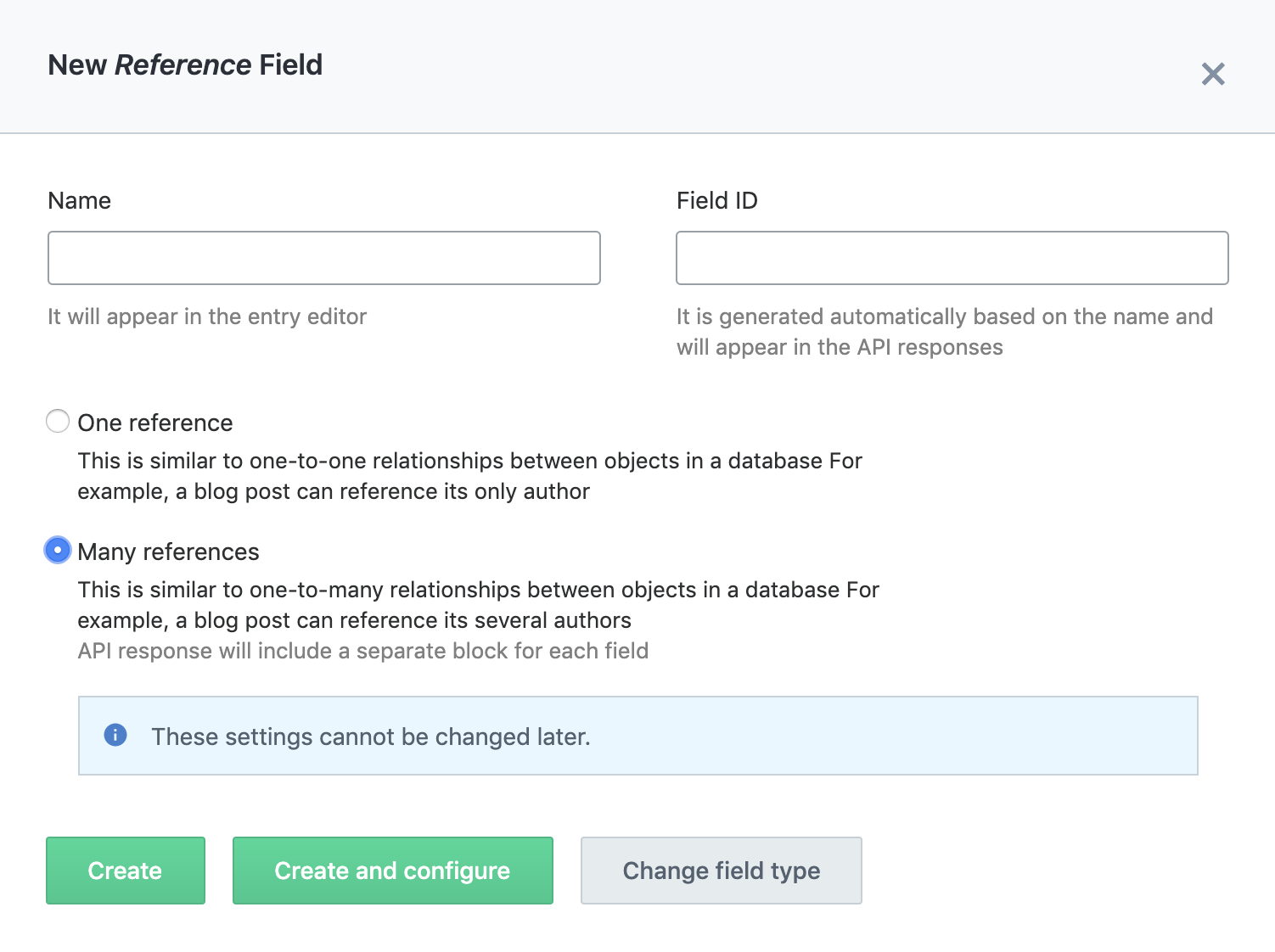
When you want a content model to hold one-to-one or one-to-many data, you select the Reference type for a field. By choosing either One reference or Many reference, you can manage links to other content models. Depending on the requirements, setting Accept only specified entry type under Validations to an existing content model lets you prevent input mistakes while still allowing entries.
Implementation
There are already plenty of blog posts covering Nuxt and Firebase setup, so here I'll focus mainly on how we call Contentful's Content Delivery API.
◇ Listing page
The listing page supports search by tag and by price. We use the options of Contentful's Content Delivery API for this, implemented as follows:
async fetchRooms ({ commit }, params) {
  try {
    const { limit, page } = params
    const skip = // calculated from page and limit
    const query = {
      content_type: 'room',
      limit,
      skip,
      order: '-sys.createdAt',
    }
    if (params.tagId) {
      query['fields.tag.sys.id'] = params.tagId
    }
    if (params.monthlyFeeMax) {
      query['fields.monthlyFee[lte]'] = params.monthlyFeeMax
    }
    if (params.monthlyFeeMin) {
      query['fields.monthlyFee[gte]'] = params.monthlyFeeMin
    }
    /**
     * some parts omitted
     */
    const rooms = await client.getEntries(query)
  } catch (e) {
    // error handlings
  }
}
The [lte] and [gte] passed to the query in the code above are used to filter the field values.
Four range operators are available that you can apply to date and number fields: [lt]: Less than. [lte]: Less than or equal to. [gt]: Greater than. [gte]: Greater than or equal to. When applied to field values, you must specify the content type in the query.
We also use full-text search, which we introduced in this article: Mastering Contentful Tricks: Search & Filtering Edition.
◇ Detail page
For the detail page, rather than using the random string IDs Contentful generates, we wanted URLs that carry meaning, so we set a slug field and use it to display the detail page.
  async fetchRoom ({ commit }, { slug }) {
    try {
      const client = contentful.createClient(config)
      const posts = await client.getEntries({
        content_type: 'room',
        'fields.slug': slug,
      })
      if (posts.items.length > 0) {
        commit(SET_ROOM, posts.items[0])
      } else {
        throw new Error('404 not found')
      }
    } catch (e) {
      // error handlings
    }
  },
Since there are a lot of property photos, we also use the Images API to resize the images being displayed, so pages load faster (Contentful really does have everything).
Resizing just means adding parameters, so writing something like this is enough:
- w → width: 1000px
- q → quality: 95%
and the image is converted and served accordingly.
<img
  :src="`${image.fields.file.url}?w=1000&q=95`"
  :alt="image.fields.title"
>
◇ Firebase Hosting
When you generate Nuxt in universal mode, it produces dist and .nuxt directories. For Hosting, we deploy the entire dist directory.
In our environment, deployment runs from CI, and it's also connected to Contentful's webhook: whenever content is published, CI runs and deploys the current contents of master.
Example firebase.json:
{
  "hosting": {
    "public": "dist",
    "ignore": [
      "firebase.json",
      "**/.*",
      "**/node_modules/**"
    ],
    "rewrites": [
      {
        "source": "**",
        "destination": "/index.html"
      }
    ]
  }
}
Example package.json:
"script": {
  "deploy:dev": "firebase deploy --project $FIREBASE_DEV_PJ --token $FIREBASE_DEV_TOKEN"
}
By writing it in package.json, CI just needs to run yarn deploy:dev. The following environment variables are set on the Circle CI side:
- $FIREBASE_DEV_PJ
- $FIREBASE_DEV_TOKEN
Summary
With this approach, we were able to launch a service quickly without having to provision a server. Being able to spin up a service quickly with just a designer and a frontend engineer feels like a real advantage. There are still concerns like SLAs when clients don't want to deal with operations, but proposing a serverless setup combined with a SaaS like Contentful doesn't seem like a bad idea at all.
So, I plan to keep being the "JAM guy" going into next year as well!
References
*1: What is JAMstack? An architecture for achieving fast display, learned through practice


