

Preface
These days, I think it's fair to say there isn't a single day, whether for work or personal use, when I don't open a web browser on my PC or phone.
Among these, GitHub is one of the services I use most frequently, personally.
Not only do I look at Pull Requests and Issues on projects I'm involved with, but I also read READMEs to learn how to use OSS repositories, and sometimes read the source code directly.
Amid all that, there was one small frustration—or rather, something I wished worked a bit differently—and that was the behavior when opening links.
What I wanted to do
Make external links on GitHub's web pages open in a new tab. Simple, but that's exactly what I wanted to do.
After thinking about how to achieve this, I concluded that I should build a Chrome extension to solve this annoyance.
I figured the processing needed for this feature would look like this:
- Open a GitHub web page
- Find
atags within the web page - Among those
atags, find elements whose URL has a domain other than github.com (i.e., an external link) - Add
target="_blank"to elements with external links
So, let's implement this as a Chrome extension.
Aside: Is target="_blank" necessary?
Using target="_blank" when you want a link to open in a new tab isn't particularly unusual in itself.
Looking at MDN web docs, here's what it says about target:
- MDN web docs: <a>: The Anchor element
Quote (partially abridged):
Where to display the linked URL, as the name for a browsing context (a tab, window, or
<iframe>). The following keywords have special meanings: ・_blank: Loads the URL into a new browsing context. This is usually a tab, but users can configure browsers to open a new window instead.
That said, there seems to be some debate about this—some people want to add target="_blank" to all external links by default, while others don't want to use target="_blank" carelessly.
I don't think it's necessary for every single external link either, but since the implementation itself isn't difficult, one could wonder whether GitHub deliberately chose not to use target="_blank".
Incidentally, GitLab does seem to add target="_blank" to external links, which is interesting—you can sense the creators' intent in this kind of detail.
The documentation also mentions using rel="noreferrer" or rel="noopener" together with target="_blank", so let's not forget the security perspective either.
- MDN web docs: Security and privacy concerns
What I did
That preface got a bit long, but adding a Chrome extension only requires two files.
manifest.json is the file that describes the information and permissions required for a Chrome extension.
The following minimal content should be enough.
{
  "manifest_version": 2,
  "name": "github-external-link",
  "version": "0.1.0",
  "description": "add `target=\"_blank\"` to external links on github",
  "content_scripts": [
    {
      "matches": ["https://github.com/*"],
      "js": ["contentScript.js"]
    }
  ]
}
contentScript.js, also referenced in manifest.json, is the script that implements the processing described above. Here's what I came up with:
window.addEventListener(
  'load',
  () => {
    const links = document.getElementsByTagName('a')
    Array.prototype.forEach.call(links, link => {
      const isExternalLink =
        link.href.match(/^https?:\/\/.+/) && !link.href.includes('github.com')
      if (isExternalLink) {
        link.target = '_blank'
        link.rel = [link.rel, 'noopener', 'noreferrer'].join(' ')
      }
    })
  },
  false,
)
Put these two files in the same directory, then select "Load unpacked" on Chrome's extensions page to make it available. (Please add and use extensions at your own risk.)
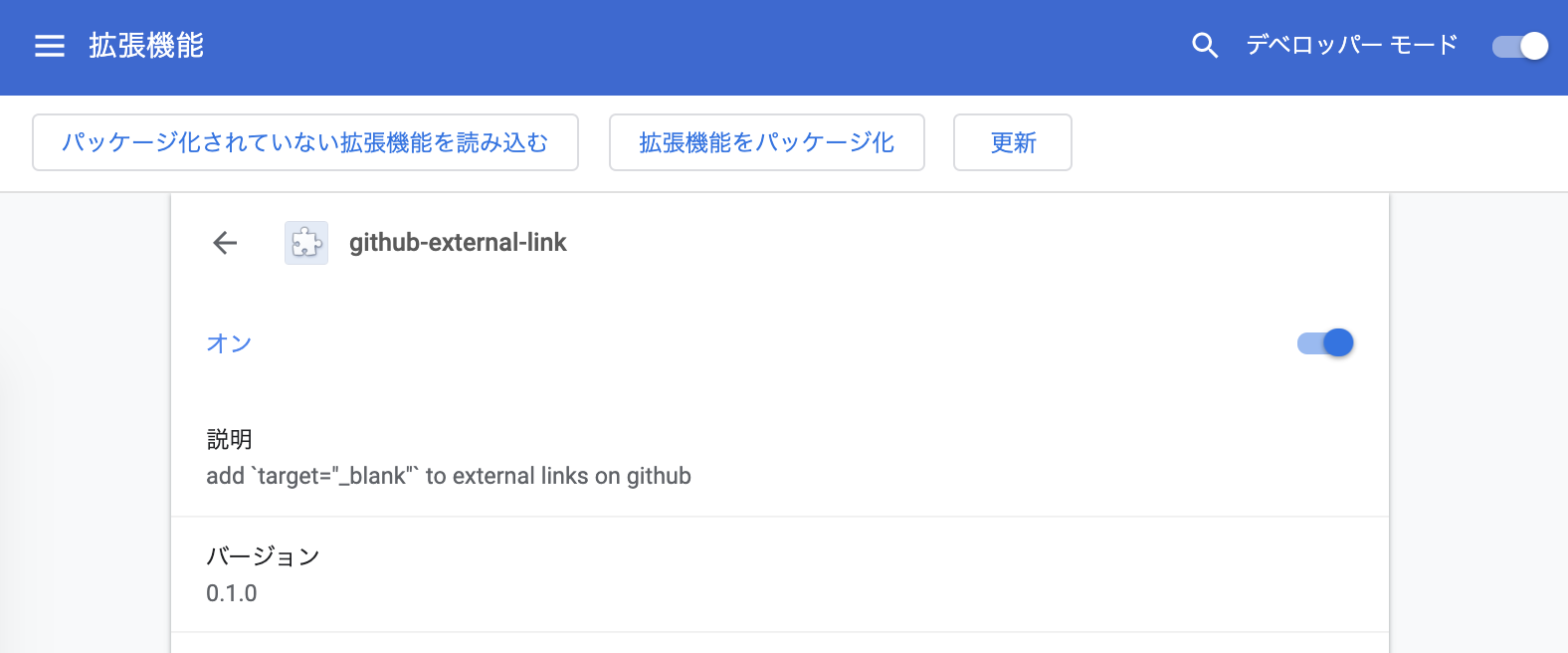
To check whether this extension works, let's look at the page for the following repository.
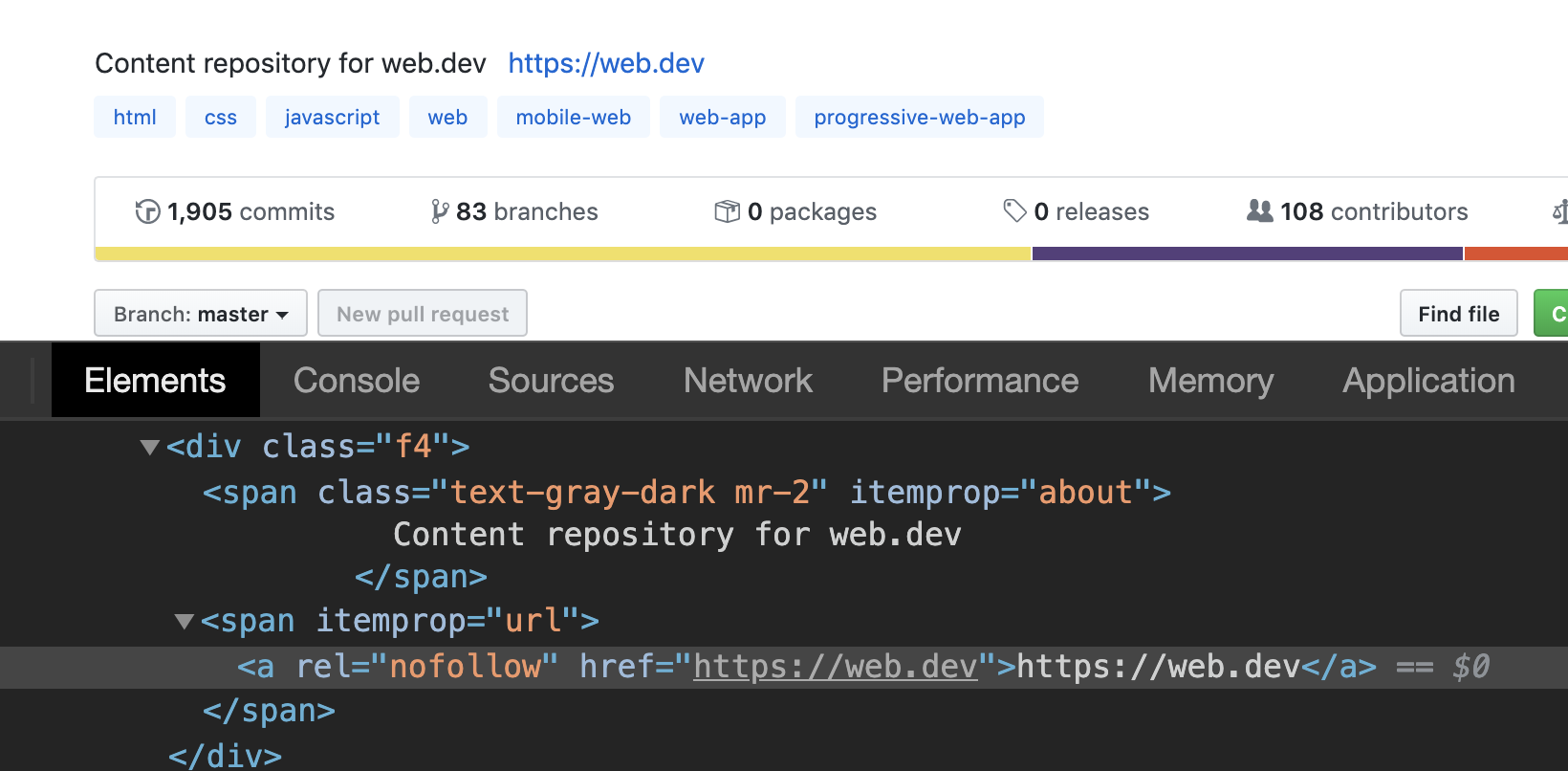
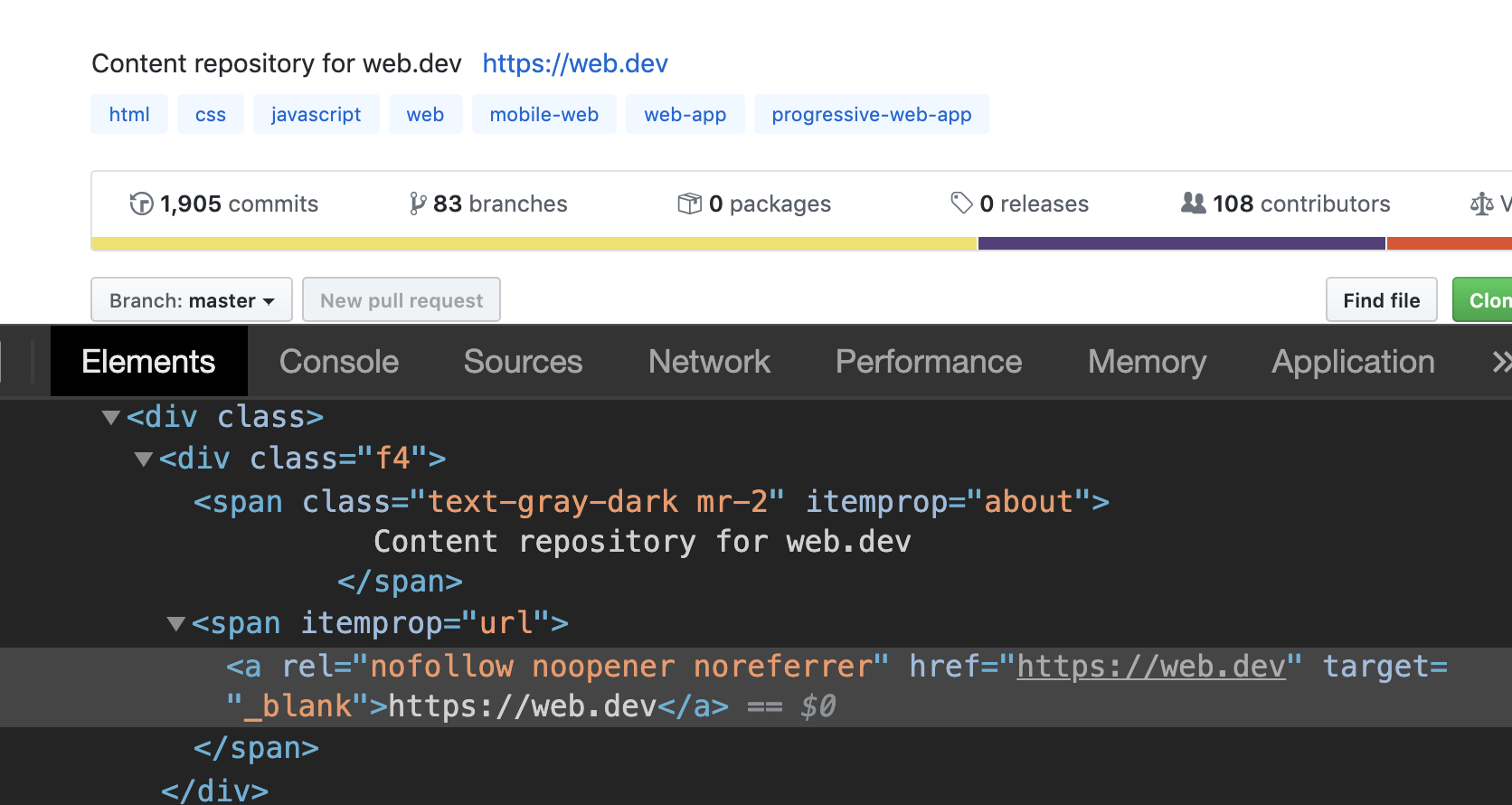
The first image shows the extension turned off, and the second shows it turned on. You can see that target="_blank" has been added to the external link https://web.dev at the top of the page.
And with that, I got what I wanted 🎉
Afterword
I ran full speed ahead on the idea of "building it myself," but now that I think about it, there are probably already similar Chrome extensions on the Chrome Web Store with the same idea. Sure enough, when I looked, they existed, so I didn't think it was worth publishing what I built here to the Web Store, and just shared the source code as-is.
Still, I found it good that I learned developing a Chrome extension is surprisingly easy, and it also gave me a chance to think a bit about target="_blank", something I'd never really considered before.
I think I'll try building some other Chrome extension as a result of this.


