
We run an agriculture curation media outlet called qrop docs, and I wanted to automate a crawler that collects agriculture-related news articles as a serverless task. So this time I tried using Cloud Functions, Pub/Sub, and Cloud Scheduler. (Some of you might be thinking App Engine would work just as well — but I decided to give this a try as an experiment.)
1. Creating the file, deploying to Functions, and creating the Pub/Sub topic
This time I created main.py, which runs the crawler, as shown below. request['data'] contains the content set in the Cloud Scheduler payload. Since Cloud Functions currently has a maximum execution time of 9 minutes, I set it up so that the Scheduler passes an ID to run at that time, and the task is processed based on that ID.
./app/main.py
import argparse
import base64
from batch import crawler
import os

# for google cloud functions
def crawl(request, callback):
    id = int(base64.b64decode(request['data']))
    crawler.runForRss(id)
The command to deploy this file looks like this. --set-env-vars lets you set environment variables to be used in Functions, --timeout lets you set the maximum execution time for Functions. --trigger-resource sets the topic ID of the Pub/Sub you want to create. --entry-point specifies the name of the method in main.py you want to run. In this case, that's the crawl function written above.
$ gcloud functions deploy ${FUNCTION_NAME} \
		--source ./app --runtime python37 \
    --region asia-northeast1 --timeout 540 \
		--trigger-resource ${TRIGGER_NAME} \
    --trigger-event google.pubsub.topic.publish \
		--entry-point ${ENTRY_POINT_NAME} \
    --project $(PROD_PROJECT_ID)\
		--set-env-vars="API_URL"="$(PROD_API_URL)","BASIC_USER"="${BASIC_USER}","BASIC_PASSWORD"="$(BASIC_PASSWORD)"
Once you run the above, you can confirm the created topic name on the Pub/Sub page in the GCP console.
2. Creating the Cloud Scheduler job
Next, let's create a scheduler to run the Functions on a regular basis. Create it from the Cloud Scheduler page.
From "create job," you'll move to the screen below and register the job.
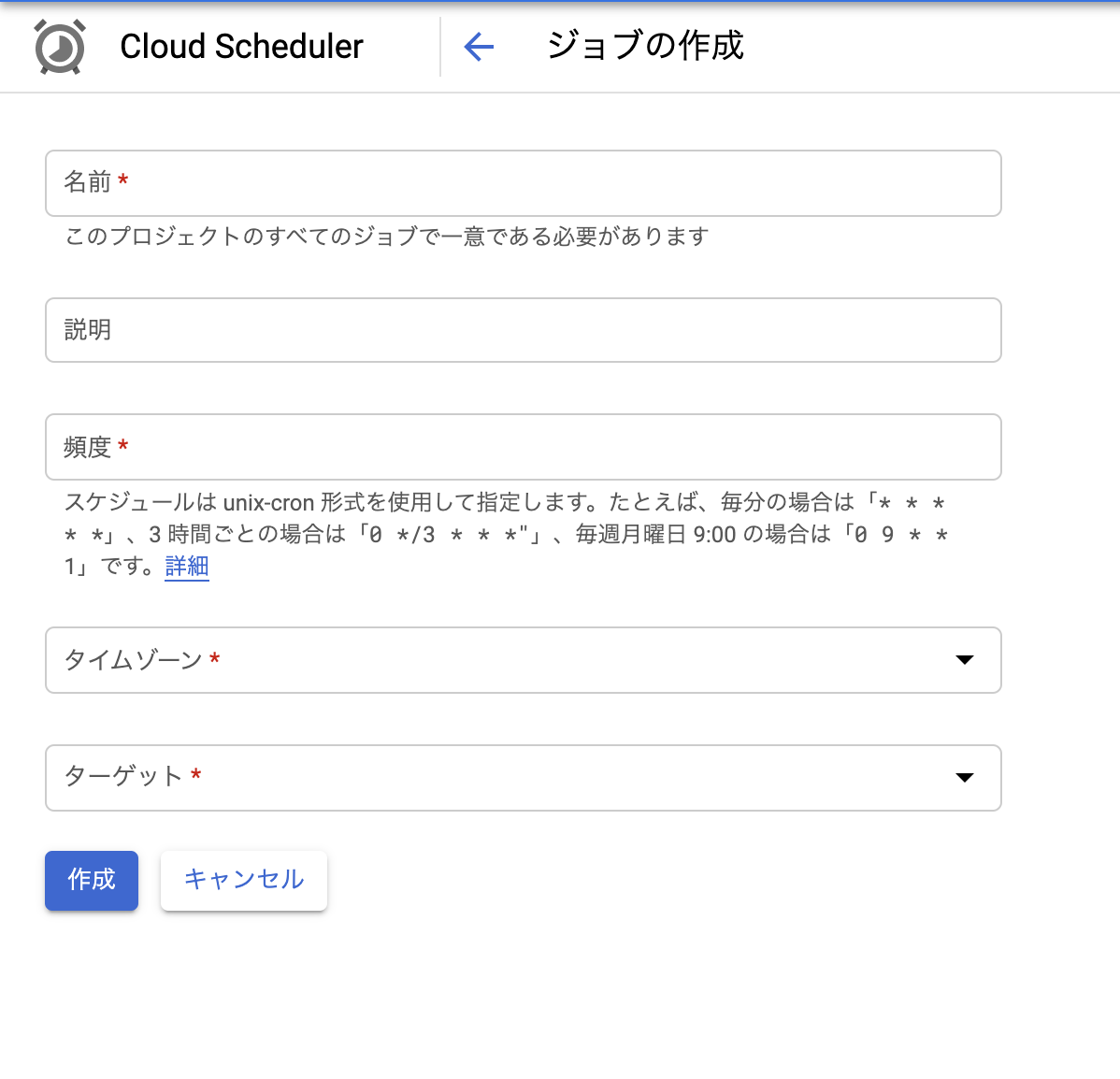
The frequency can be written the same way as cron, so if you want to run it at X:15 every 3 hours, you'd write 15 */3 * * *. Set the target to Pub/Sub, and set the topic to the name of the Pub/Sub topic we created earlier. For the payload, since I'm setting an ID at execution time this time, I've entered a numeric int value, but you should set whatever value fits your needs as a developer. (If I'm using this wrong, please let me know!)
Summary
Just by setting these things up, I was able to get Cloud Functions running on a regular schedule! For tasks where using something like App Engine feels like overkill, using Cloud Functions could be a good option. If I find any other good use cases, I'll write about them on the blog.


